
Hard Drive Data Recovery in Mumbai
Ktech Media Solutions provides hard drive data recovery in Mumbai for clicking, undetected, formatted and crashed drives — from laptop and desktop hard disks to external enclosures. Start with a free evaluation with pickup available, and get a custom quote only after diagnosis, so you know what's realistic before you commit.
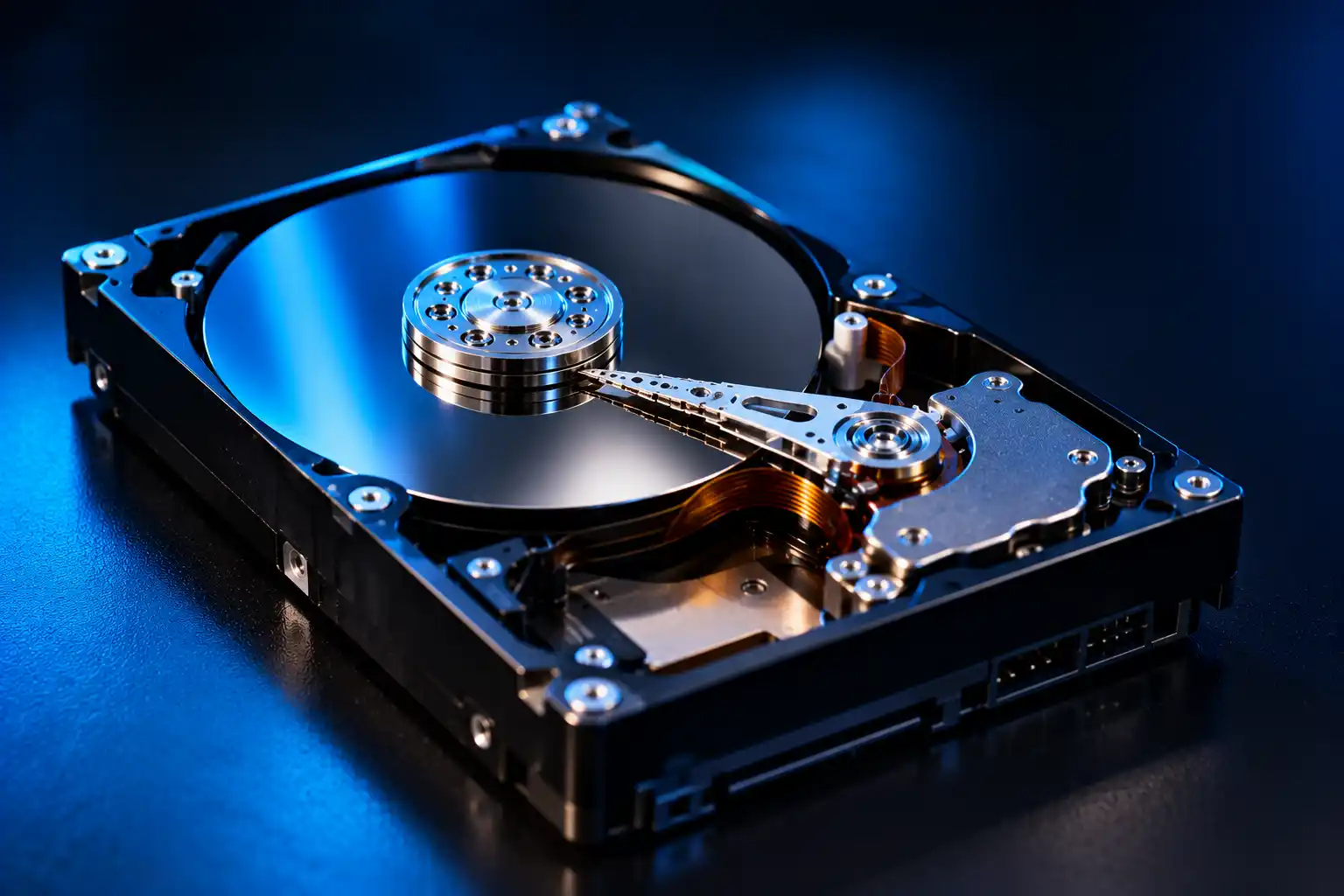
What Hard Drive Failures We Recover in Mumbai
Mechanical Failure
Drives that click, beep, grind or won't spin up — typically a head, motor or platter problem.
Logical Corruption
Damaged file systems, RAW drives and lost partitions where the data is often still on the disk.
Deleted & Formatted Data
Files removed or a drive formatted by accident — the sooner you stop using it, the better the odds.
Bad Sectors & Slow Failure
Drives that freeze, copy slowly or throw read errors as the surface deteriorates.
Laptop and desktop drives tend to fail in different ways. Laptop drives are small and often knocked or dropped in use, while desktop drives more often fail from age, wear and power problems. Either way, the first rule is the same: stop using the drive.
Symptoms and What They Usually Mean
| Symptom | What it usually points to | What to do |
|---|---|---|
| Repeated clicking or beeping | Often a mechanical fault, such as a head or motor problem | Power off straight away and don't keep trying |
| Not detected in BIOS or Disk Management | Could be electronics, firmware, a cable or port issue, or a mechanical fault | Try one different cable or port; if it's still missing, stop |
| Shows as RAW, or asks you to format | Usually file system or partition corruption | Don't format, and don't run repair tools on the only copy |
| Very slow, freezing, copy errors | Often bad sectors or a deteriorating surface | Stop using it — forcing copies can make it worse |
| Spins up, grinds, then powers down | A serious mechanical problem | Power off and don't power it on again |
What To Do First (Before You Call)
Stop Using the Drive
Power it off. Every extra minute of running a failing drive can turn a recoverable fault into a harder one.
Don't Run Repair Tools
CHKDSK, disk repair and recovery software all write to or stress the drive. Don't use them on the only copy of your data.
Don't Open or Freeze It
Opening a drive exposes the platters, and the freezer trick can cause damage. Leave it as it is.
Note What Happened
A drop, a power cut, a sudden shutdown, the first error you saw — these details help diagnosis.
Keep the Drive Together
Keep the drive with its cable or adapter, then message us on WhatsApp to arrange pickup.
Logical vs Physical Failure Explained
Logical Failure
The drive's hardware works, but the file system, partition table or directory structure is damaged. The data is usually still there and can often be reached without touching the hardware.
Physical Failure
A hardware component has failed, so the drive can't read its data normally. The hardware fault has to be dealt with before the data can be read, which is why powering it on repeatedly is so risky.
How Our Recovery Process Works
Free Evaluation
Message us and we arrange pickup in Mumbai. We inspect the drive or system and explain what we're seeing, in plain language.
Diagnosis
We identify whether the fault is mechanical, logical, or both, and what that means for recovery chances.
Custom Quote
Priced to the actual complexity of your case, not a flat online rate.
Recovery
Carried out with the drive powered down between diagnostic steps wherever that improves the odds.
Secure Return
Recovered data handed back on your choice of media, with your original drive returned.
Why Choose Ktech Media Solutions for Data Recovery
Quality
Every case gets a proper diagnosis before we recommend a path forward, not a guessed flat-rate quote.
Performance
We prioritise time-sensitive and business-critical cases where downtime has a real cost.
Reliability
Clear communication at each stage, so you're never waiting without knowing what's happening.
Transparency
We tell you honestly when a drive's condition limits how much can realistically come back, rather than promising outcomes upfront.
FAQs about Hard Drive Data Recovery in Mumbai
Still have a question? Ask our teamOften, yes — a drive not being detected doesn't necessarily mean the data is gone. It usually points to a mechanical, electronic or firmware fault rather than the data itself being erased. A free evaluation tells us which it is.
Clicking usually points to a mechanical problem, often involving the read/write heads. The data may well still be on the platters, but continued power-ups can damage them. Switch the drive off and get it evaluated.
No. Repair tools and recovery software make the drive work hard and can write to it, which can reduce what's recoverable. If the data matters, stop and get the drive assessed first.
Often, yes, especially if little has been written to the drive since. Don't save anything new to it, and don't reformat it again.
It depends on the fault and how complex the recovery is. Logical problems are usually quicker than physical ones. We give you a realistic timeline after the evaluation, not before.
Yes — pickup is available. Message us on WhatsApp with what happened and what device is affected, and we'll arrange collection and start with a free evaluation.
Yes. Laptop drives are recovered like any other hard drive, and we handle both laptop and desktop drives. Remove nothing yourself if you're unsure — just stop using the machine and contact us.
We're upfront if a drive's condition means only partial recovery is realistic, and we explain the evaluation findings clearly so you can decide how to proceed.
Get a Free Evaluation Before You Decide Anything
Tell us what happened and what device is affected, and we'll give you an honest read on recovery prospects, with a custom quote after diagnosis.